Feature
Your home inventory, on your phone
The same app that organizes a move organizes what stays stored at home. Photograph what goes in each box, say where the box is kept, and stop opening three closets to find one thing.
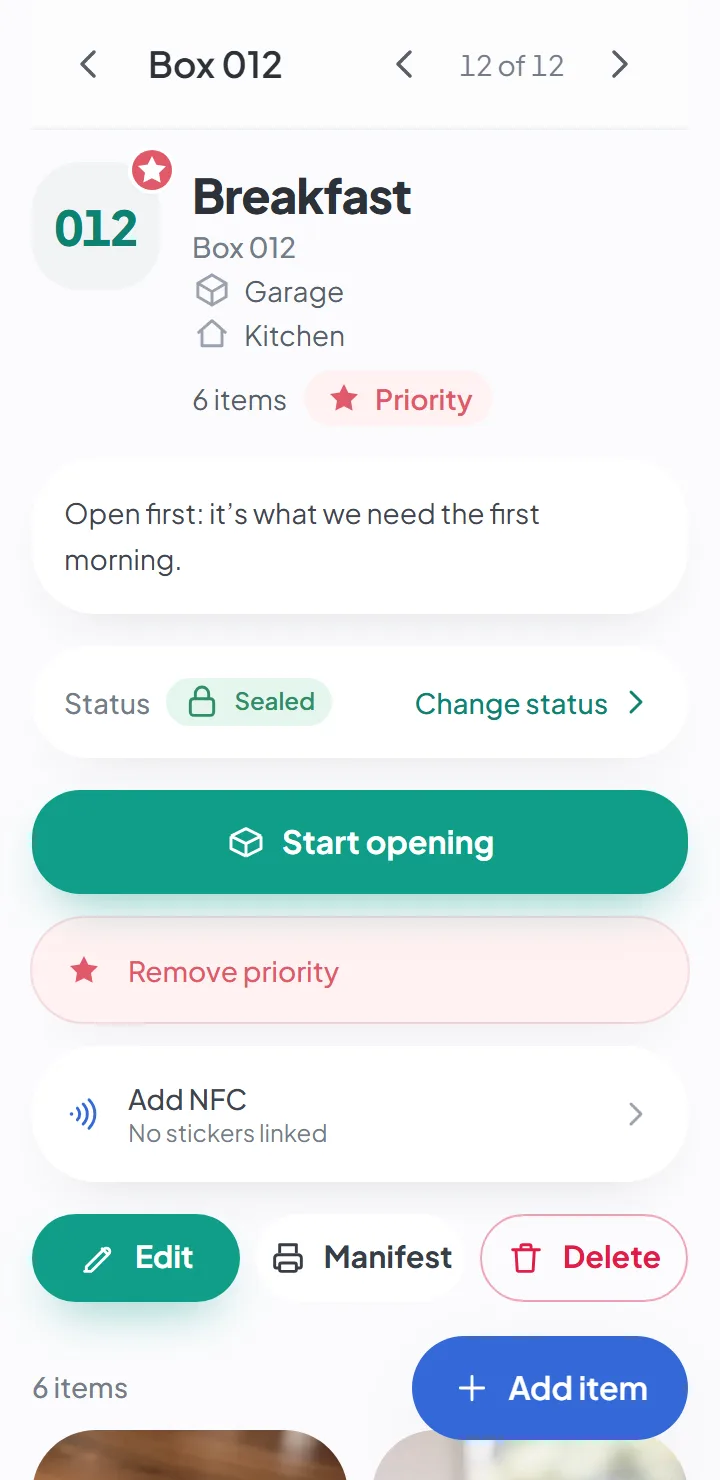
How it works
Create a project for your home
It's the same project, with the same screens, that organizes a move — and it works just as well for what stays put. Your home, a vacation home, a storage unit.
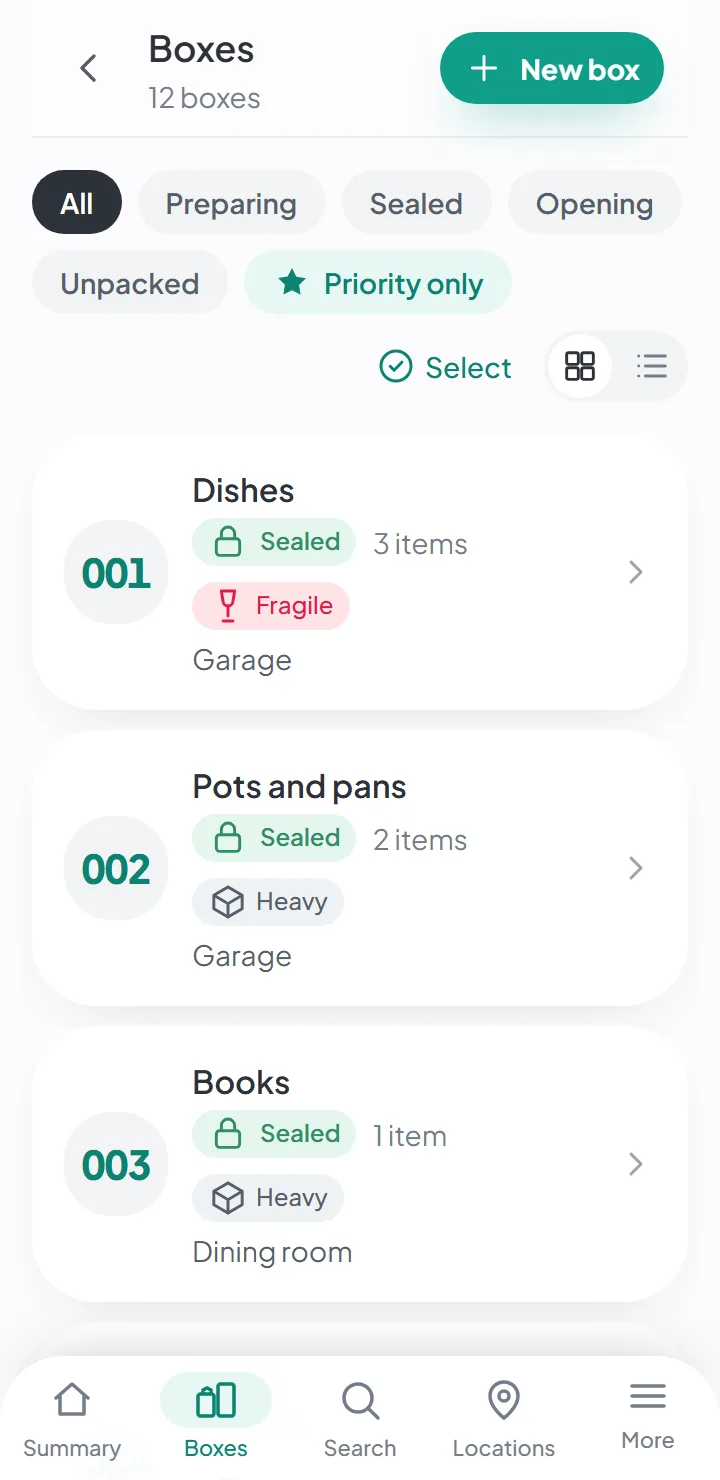
Add the places where you store things
The garage, the storage room, the attic, the hall closet. Each box knows where it is.
Photograph what goes in each box
An item is a photo. You write the description and the category — or the AI does, if you turn it on.
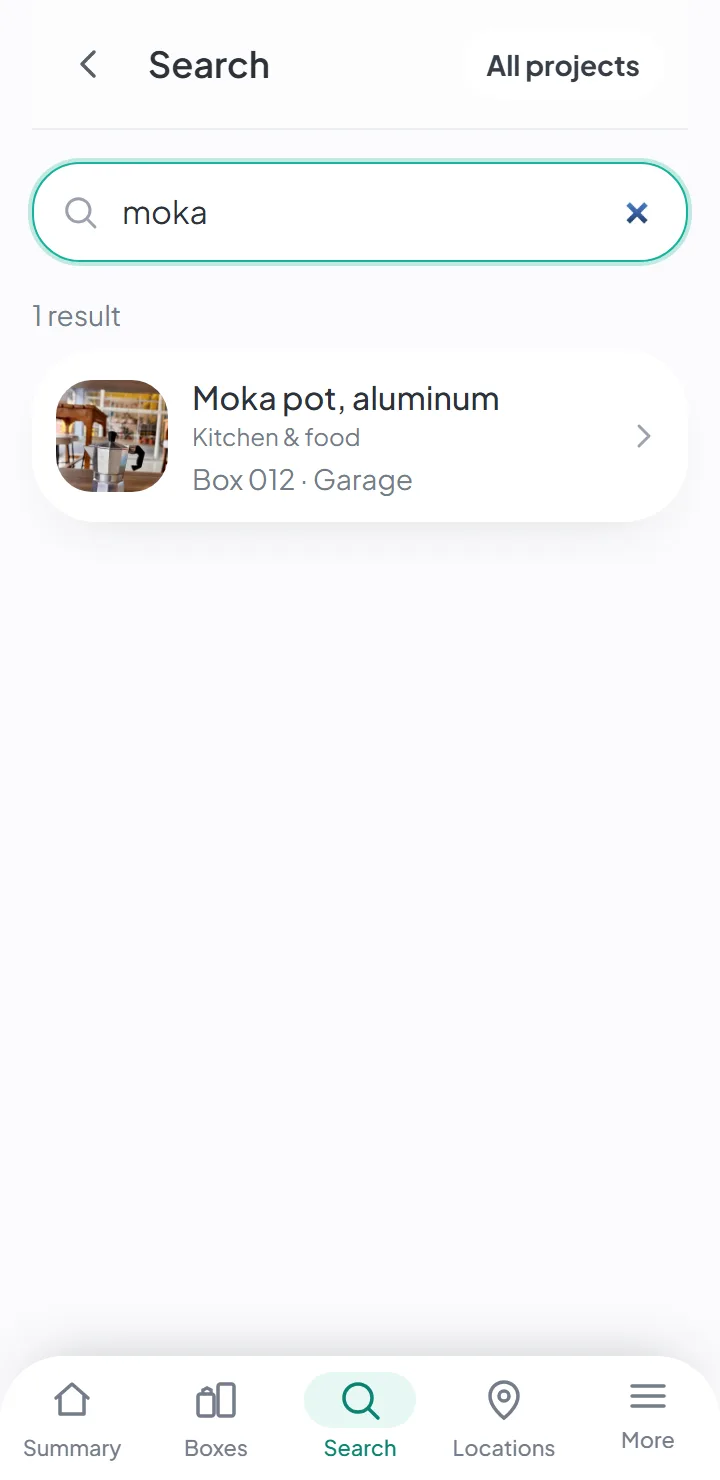
Search when you need something
“Christmas decorations,” “drill,” “baby clothes.” The answer tells you the box and where it's kept.
A home inventory you build with your camera
A home inventory usually dies after one afternoon: nobody has the patience to type up a list of everything they keep. With the camera it’s different — set the thing down, take a picture, save, and move on to the next one. The list builds itself, with a picture of every item.
It’s the same system as for a move, and that’s why it’s the same app: numbered boxes, the places where the boxes are kept, and photographed items inside each box.
A home organization app, not just for moving
Organizing the house is one job. Remembering, six months later, what went into which box is another — and that’s the one the app helps with. What goes into boxes is exactly what you lose track of:
- clothes for another season, and the kids’ clothes they’ve outgrown;
- decorations for Christmas, birthdays and parties;
- tools and DIY supplies in the garage;
- documents you keep and rarely look at;
- keepsakes — photos, letters, old toys.
With a QR code label on each box, you don’t even have to take it off the shelf: point your phone at it and see what’s inside. For organizing ideas — where to start, shelves, bins — there’s a guide to organizing your garage and storage room.
Free to start, on iPhone and Android
You can start without paying: the free plan is enough to organize your first boxes. The current limits are on the pricing page.
It isn’t software you download from a store, and you won’t find it among the apps in the App Store or Google Play. It works on any phone or computer with an up-to-date browser. On iPhone and iPad (iOS), you open it in Safari and install it on your home screen. On Android, the same through Chrome.
The whole household on the same list
Invite the people you live with. Each person signs in with their own account and sees the same inventory; what one adds, the others see right away. And “where’s the big suitcase?” stops being a question for whoever happens to be closest.
No signal in the garage, no problem
Garages and storage rooms rarely have a signal. The app works anyway: take pictures, save, search — and it syncs when you’re back online.
Good to know
- It organizes what's in boxes. Every item belongs to a box, and every box to a place.
- It doesn't ask what each thing is worth — it isn't an insurance inventory with prices. For that, there's an Excel home inventory template among the free tools.
- It works in the browser on your phone and your computer, and installs on your home screen. It isn't in the app stores.
Questions about this
Is it free?
You can create an account and start for free, with no credit card. The free plan has limits — on projects, items, boxes, people and AI suggestions, and on how long your data is kept. The current figures are on the pricing page.
Paid plans aren’t on sale yet.
Does it work without internet?
Yes. You can view, search and add items and photos with no connection; the app syncs when you’re back online.
AI suggestions and dictating notes need a connection.
What devices does it work on?
Any phone or computer with an up-to-date browser. You can install it on your home screen and use it like an app.
There are no versions in the app stores yet.
Keep reading
Feature
Forgot where you put it? Search.
Search by word and see the box and where it is. Forgives typos and works offline.
Feature
QR code labels, ready to print
A4 sheets with the box number and a QR code. Scanning the code opens the list of what's inside.
Guide
How to organize your garage and storage room
Where to start, the tools, the bins and how to know what's in each one.
Start your move with everything in its place
Create an account, photograph your first box and see how quick it is.
Create a free accountStart using it now. It’s free.