For moving house
Moving is faster and easier than you think
Photograph what goes in each box. At the new place, search on your phone and go straight to the right box, without opening ten to find it.
Start using it now. It’s free.
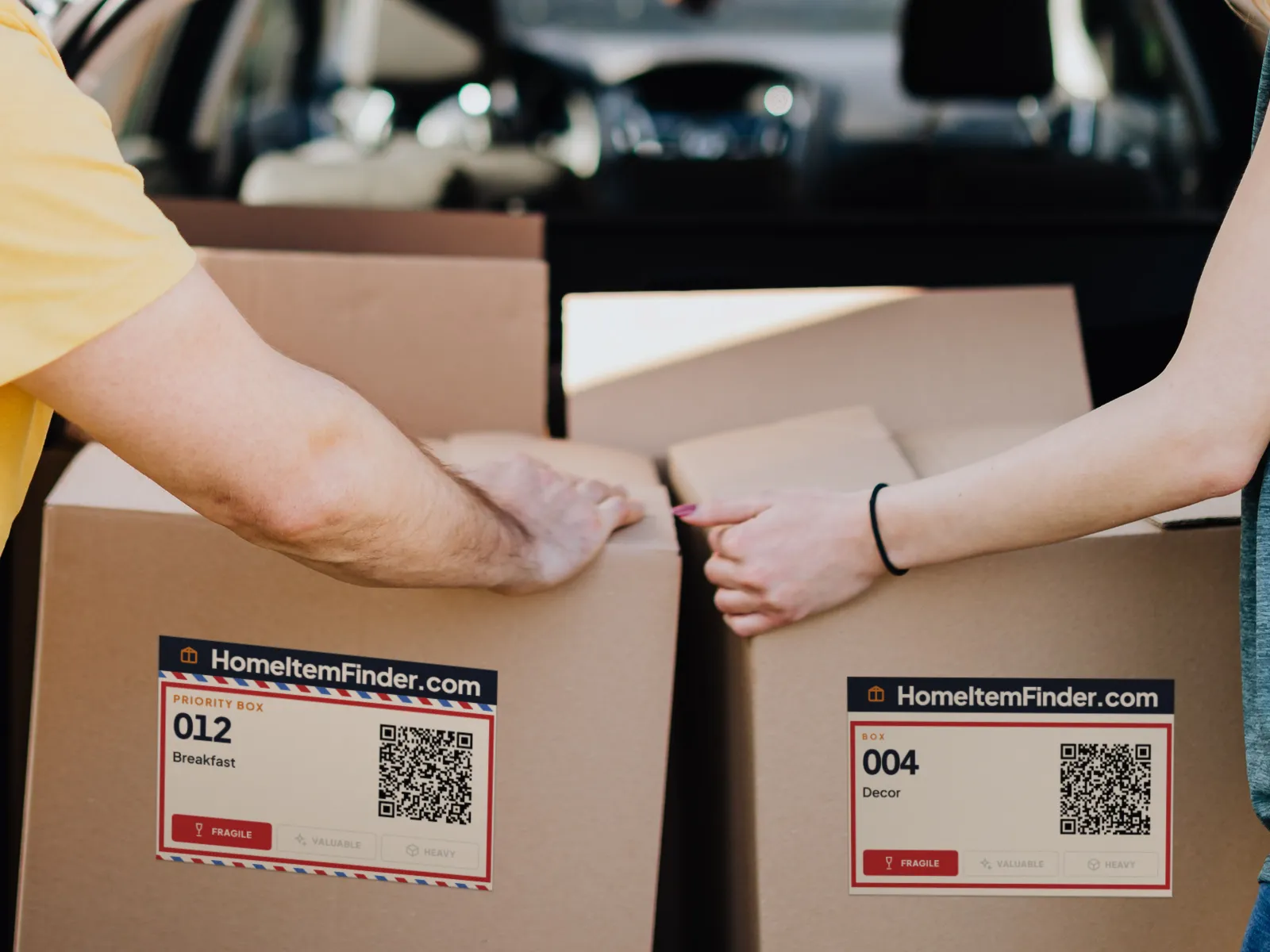
Every day, thousands of people move to a new home.
And almost all of them end up opening boxes, looking for the charger.
AI identification
Take a photo. The AI tells you what it is.
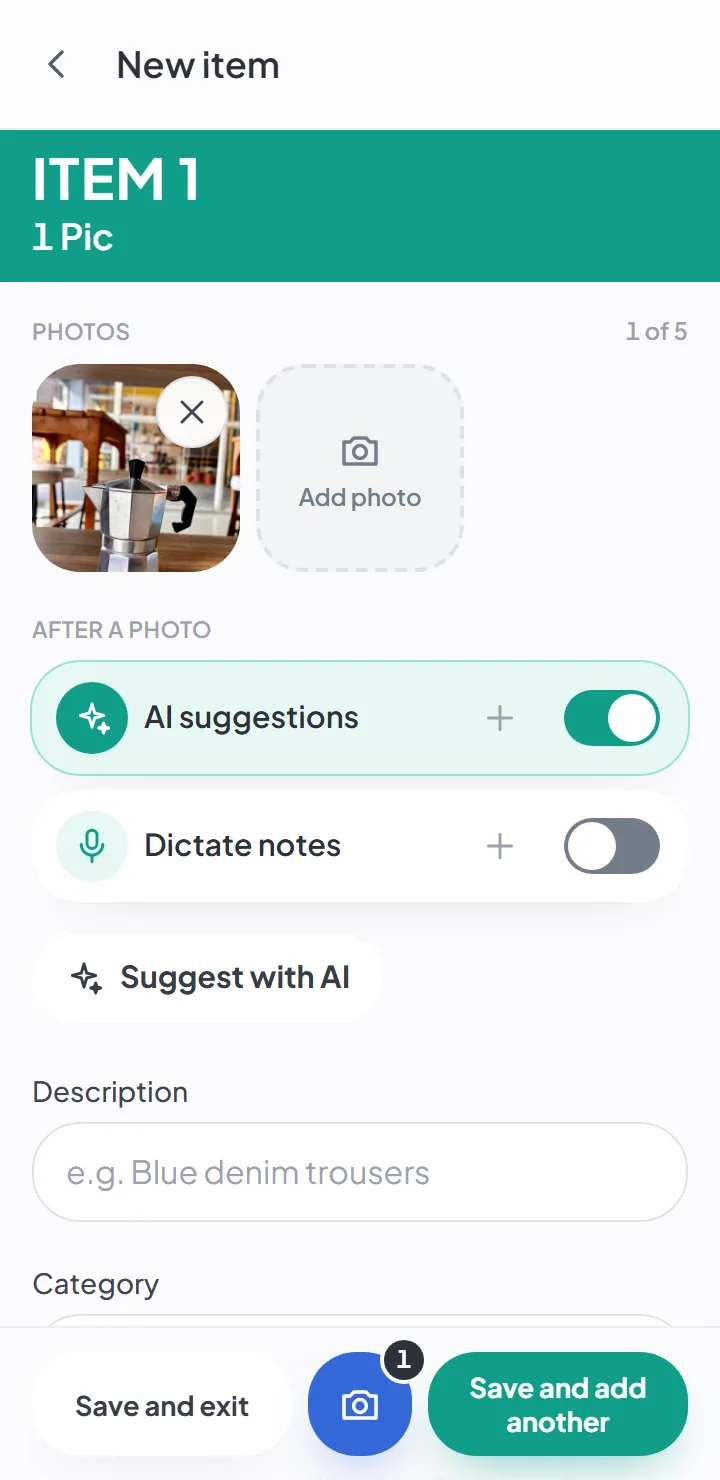
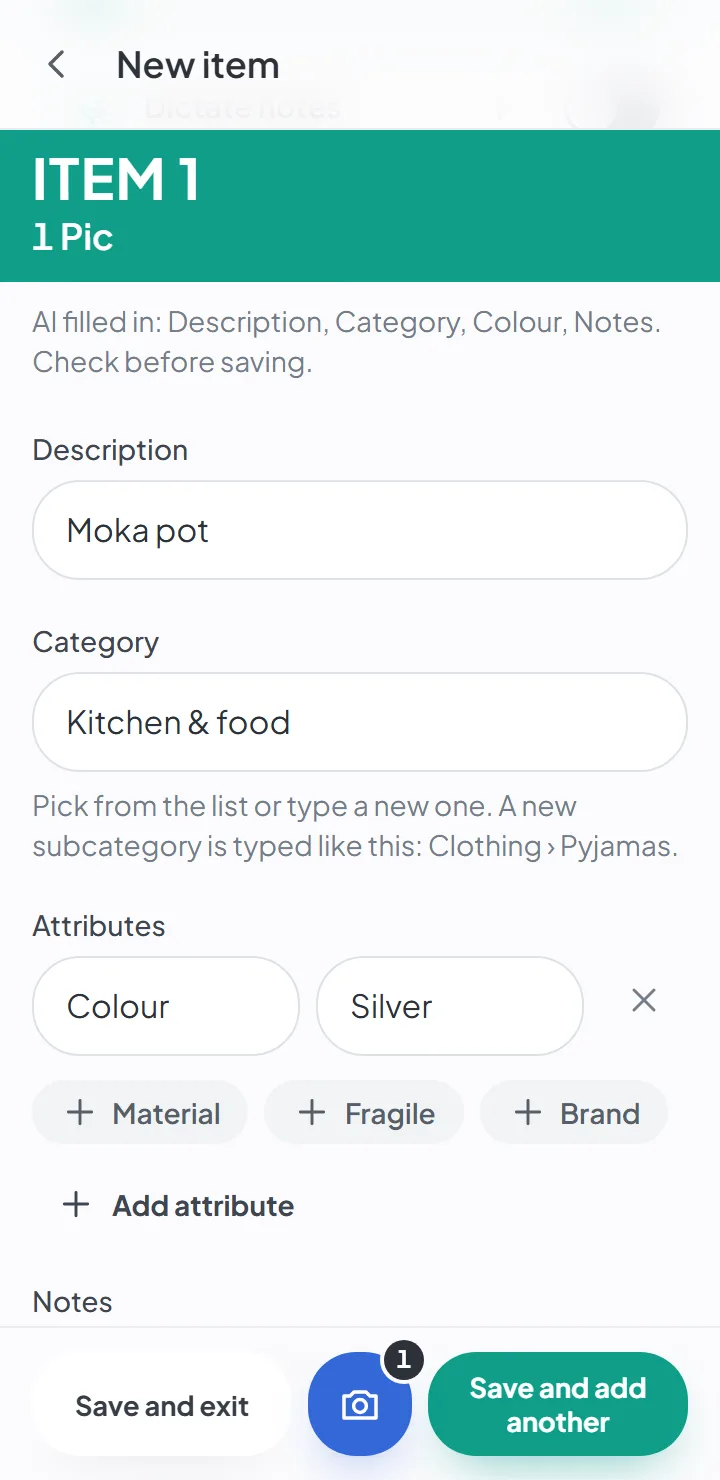
Take the photo and tap «Suggest with AI». The app looks at the picture and fills in the description, the category and the color — and the brand, when it can be read in the photo. You just confirm.
Photograph the item
One photo is enough. The fields are all still empty.
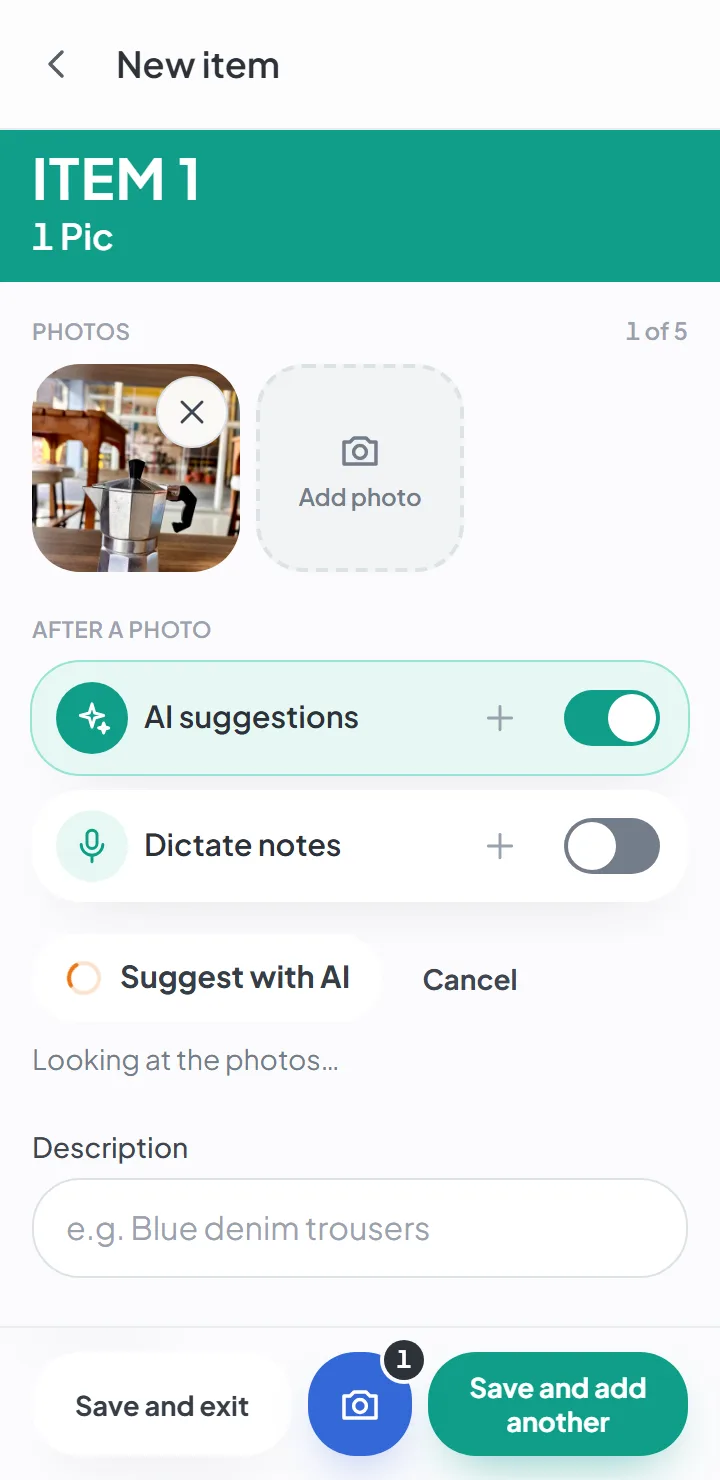
The AI looks at the photo
The orange wheel means it's working. It takes a few seconds and needs a connection.
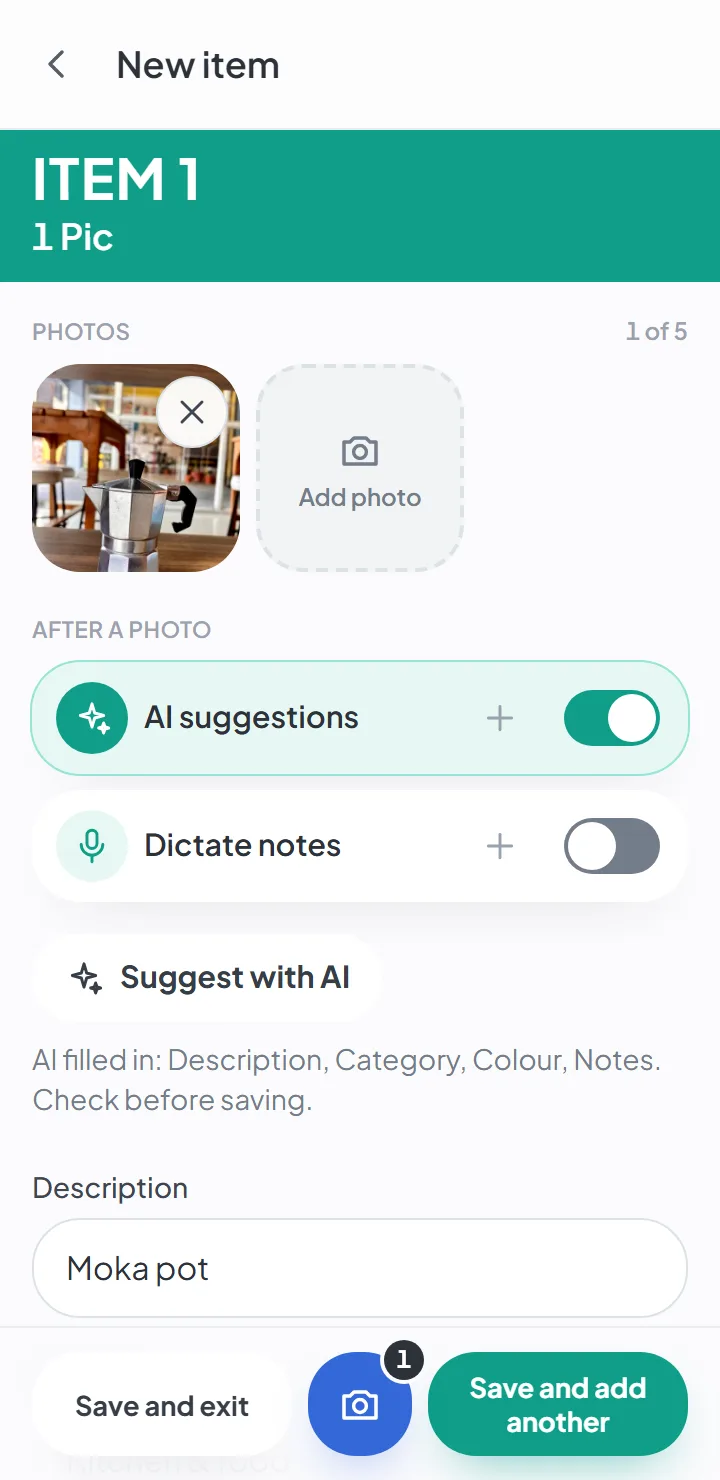
The fields come back filled in
The app tells you what the AI filled in, so you know what to check.
Confirm and save
Change whatever you like before saving. Your word is always the one that stays.
AI suggestions are optional and come switched off. When you use them, the item's photos are sent to Google to generate the suggestion, and the number of suggestions depends on your plan.
See how AI suggestions work01 · Adding items
Two taps per item. The rest is optional.
The photo is the only required field. Open the box in the app, take the photo and save — the camera stays ready for the next item. It's a packing app that keeps up with you.
Take a photo
Up to five photos per item, one after another, without leaving the camera.
Say more, if you like
Let the AI fill in the description and the category, or dictate a ten-second voice note. None of it is required.
Save and move on
«Save and add another» keeps the camera open. The box fills up as fast as you pack it.
02 · Finding
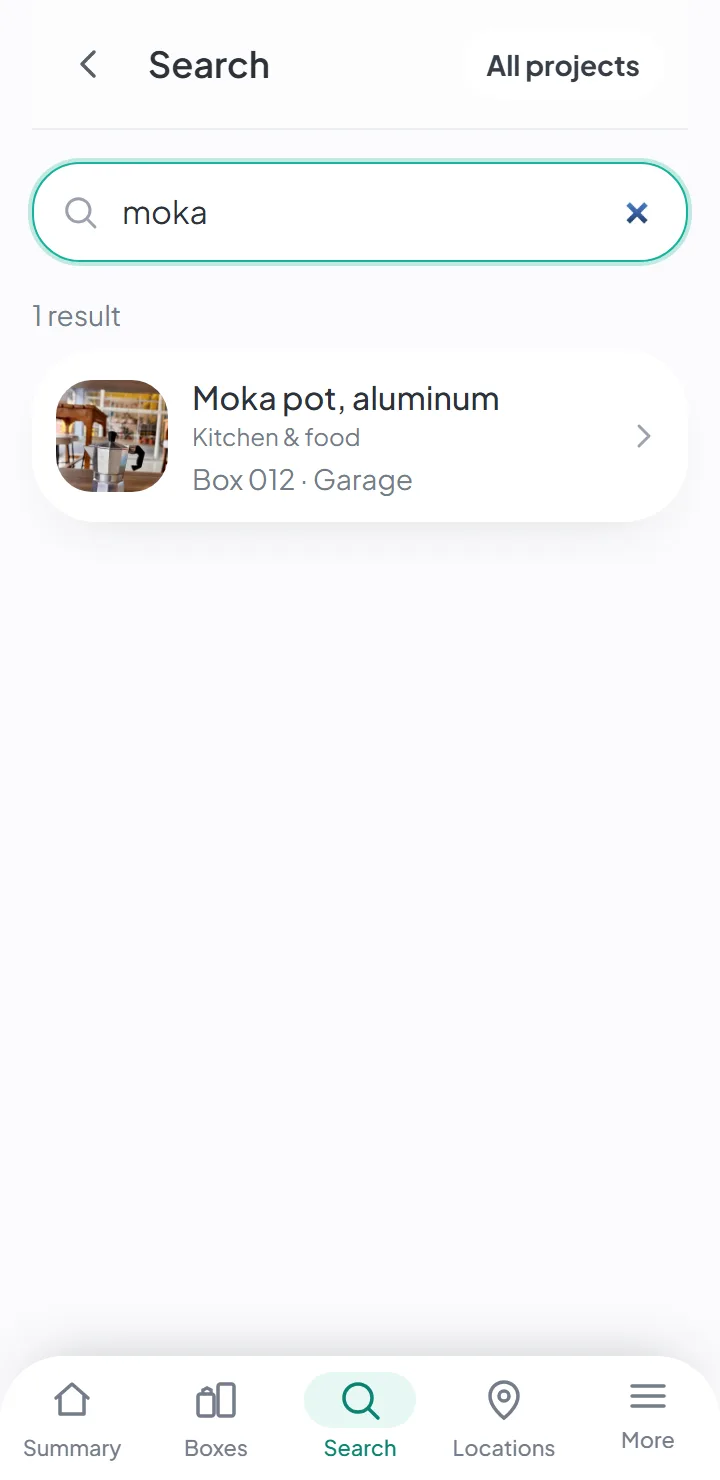
“Where's the moka pot?” Box 012, in the garage.
Type what you're looking for. Search answers instantly, forgives typos and works offline.
- The answer gives you the box and the room it's in.
- Every box has a label with a QR code — point your phone at it and see what's inside, without opening it.
- Labels print on A4 sheets, eight to a sheet.
03 · Together
Whoever packs and whoever unpacks see the same list
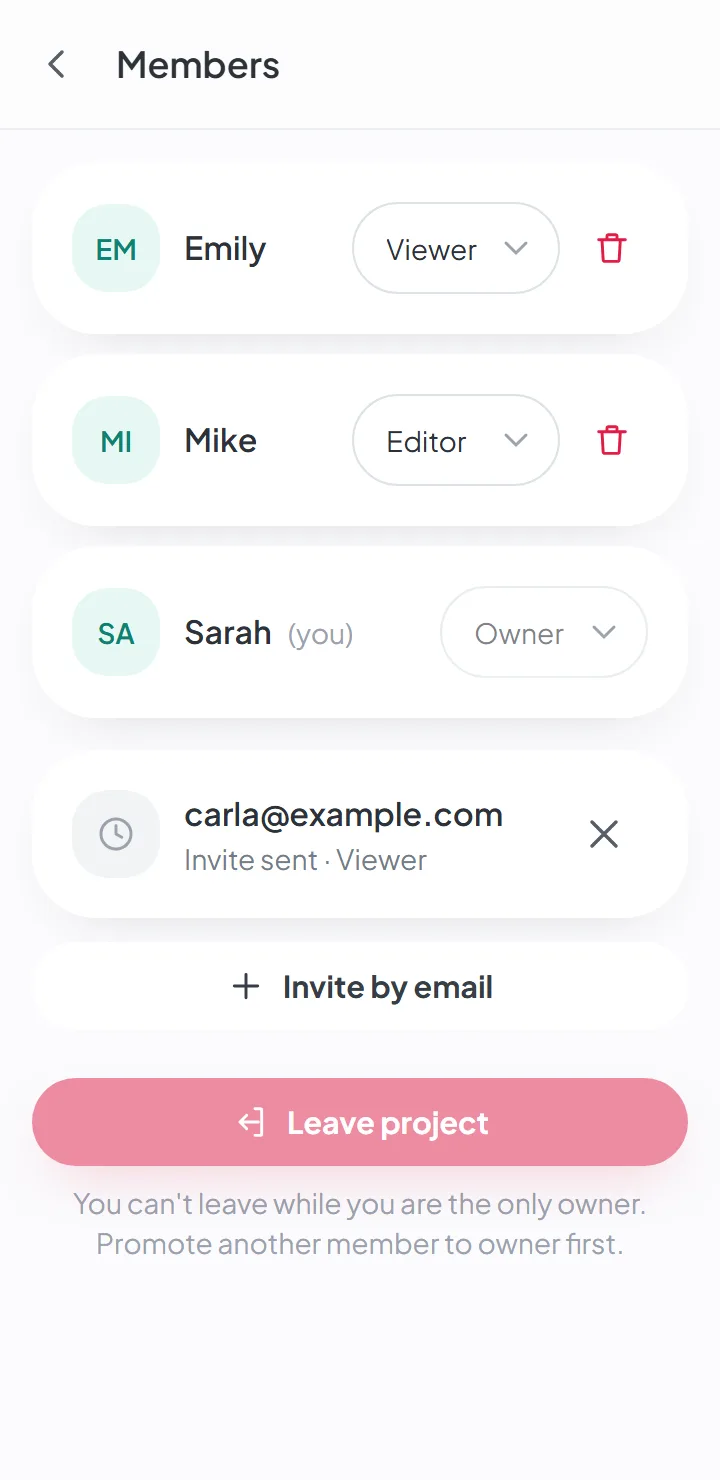
Invite the people helping with your move by email. Each person signs in with their own account and sees the boxes and items update.
- Three roles — owner, editor and viewer.
- The history shows who did what, and when.
- The number of people per project depends on the plan.
04 · After the move
Unpack without losing anything along the way
Open a box and check it item by item — «Found» or «Missing». The app shows how many boxes are still to come in each room of the new home.
See how unpacking works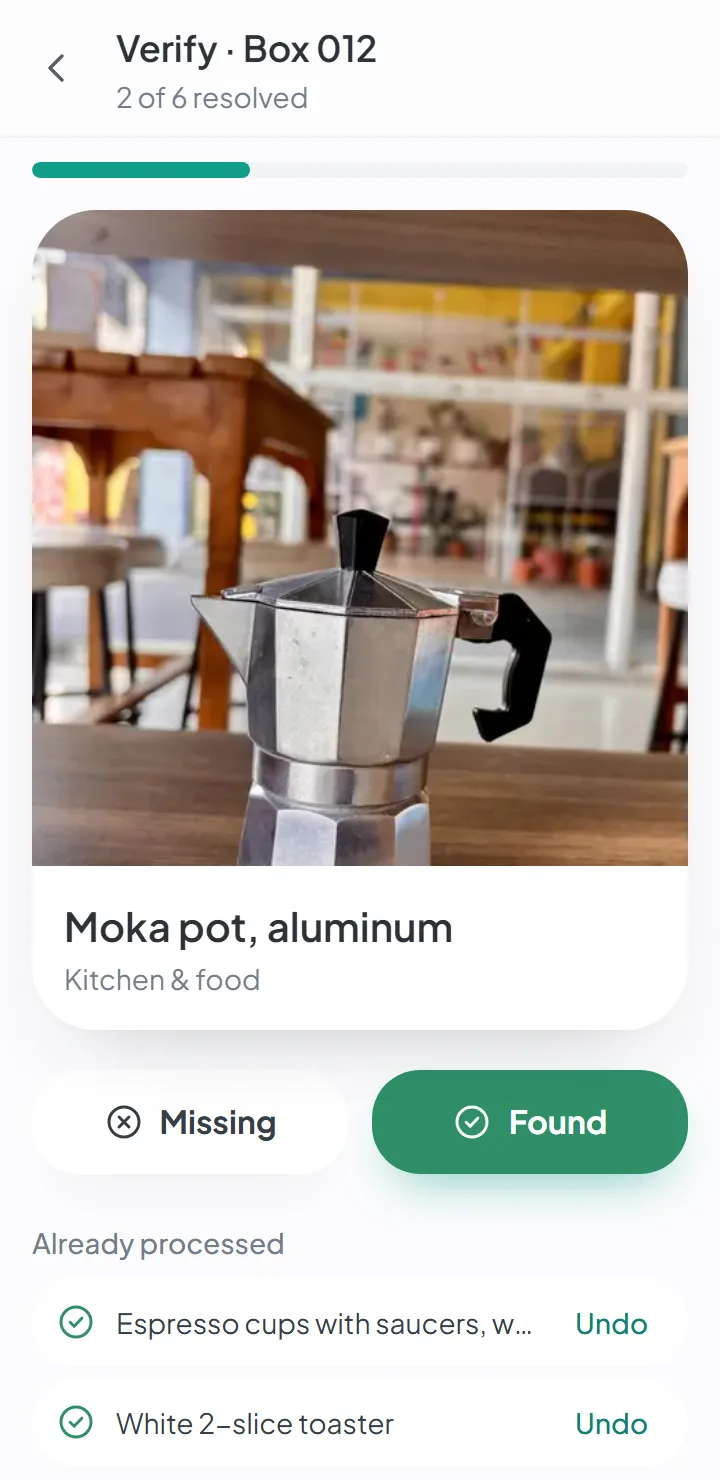
05 · Privacy
The photos of your home are yours
No location in your photos
Location and camera data are removed on your phone, before the photo is uploaded.
Only the people invited can see it
A move is visible only to the people its owner invited.
Encrypted backups
Made every week.
Two-step verification
Optional, with an authenticator app, for anyone who wants a second lock.
AI suggestions are optional and come switched off. When you turn them on, the item's photos are sent to Google to generate the suggestion.
Read everything about privacy and securityFree tools
Useful even without an account
For your move and for organizing your home. No sign-up, no apps to install.
Moving box and storage bin labels, ready to print
Sheets of numbered labels for your move, or storage bin labels with names in big print, on A4 or Letter paper. Free, no account.
Home inventory template
An Excel spreadsheet by room, with the most common items already listed and the total value calculated for you.
How many moving boxes do I need?
How many small, medium and large boxes for a studio, 1-, 2- or 3-bedroom home, with a margin for the unexpected.
What is HomeItemFinder?
It’s an app for organizing a move. You log each box and take photos of what goes inside; later you search for the item, and the app tells you which box it’s in and where that box is.
Is it free?
You can create an account and start for free, with no credit card. The free plan has limits — on projects, items, boxes, people and AI suggestions, and on how long your data is kept. The current figures are on the pricing page.
Paid plans aren’t on sale yet.
Do I have to type a name for every item?
No. The photo is the only required field. The description, category and notes are optional — and if you want, the AI suggests them from the photo.
Does it work without internet?
Yes. You can view, search and add items and photos with no connection; the app syncs when you’re back online.
AI suggestions and dictating notes need a connection.
Who can see my photos?
Only the people the owner invited to that move. Photos are kept in private storage, and location data is removed on your phone before the photo is uploaded.
If you turn on AI suggestions, the item’s photos are sent to Google to generate the suggestion. It’s optional, and it’s off by default.
What devices does it work on?
Any phone or computer with an up-to-date browser. You can install it on your home screen and use it like an app.
There are no versions in the app stores yet.
Start your move with everything in its place
Create an account, photograph your first box and see how quick it is.
Create a free accountStart using it now. It’s free.