Feature
Everyone looking at the same list
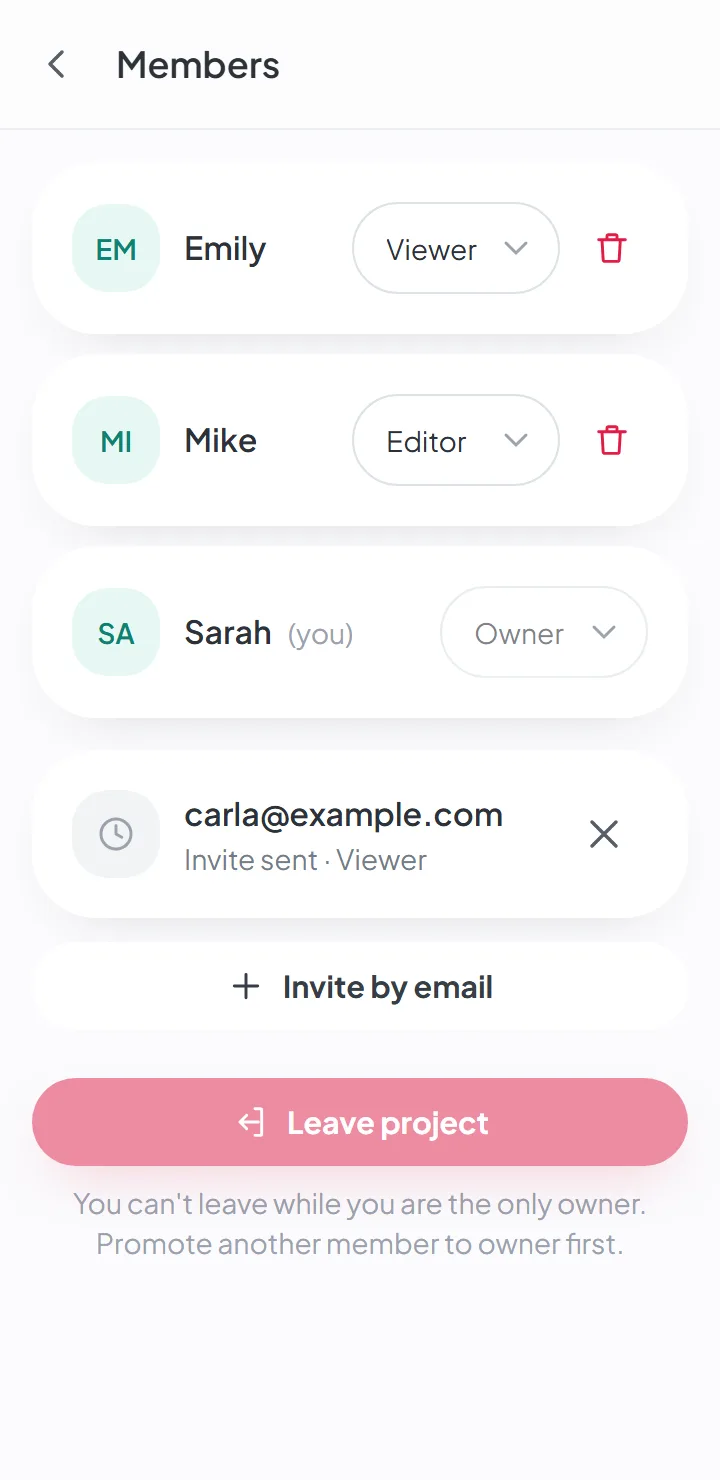
Invite the people helping with your move — family, friends — by email. Each person signs in with their own account, with the role you give them, and the history shows who did what.
How it works
Invite by email
On the move's Members page, tap «Invite by email». Type the address and choose the role.
They accept
They get an email with the name of the person who invited them, the name of the move and the role. The invite is valid for seven days; they sign in with the account they already have, or create one right then.
Everyone sees the same thing
Boxes, items and statuses reach everyone's phones as each person changes them.
Three roles
Each person has a role in the move, and whoever is an owner can change it at any time:
- Owner — does everything: edits the move, invites people, changes roles and removes people.
- Editor — creates, changes and deletes boxes and items. It’s the role for the people who pack and unpack.
- Viewer — sees everything and changes nothing. It’s for anyone who just needs to know where things are.
A move is never left without an owner: the last one can’t leave without handing the role to someone else.
Who did what, and when
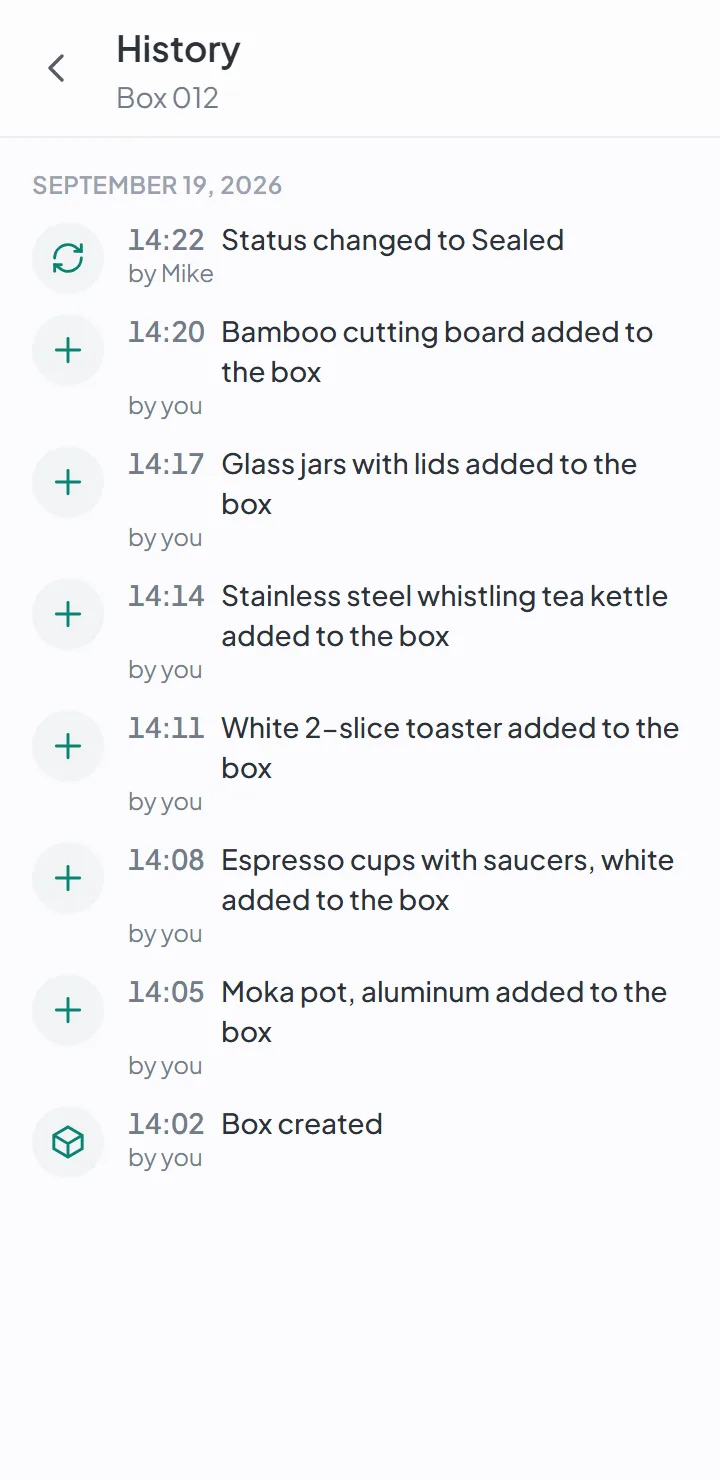
Every box has its own history: when it was created, which items went in and who added them, when it was sealed, when it was opened. In a move with four people packing, it’s what answers “who put the chargers in this box?”
Scans of the box’s QR code are also recorded in the history — including those by people who don’t have access.
What each person sees of the others
The members of a move see each other’s names, and nothing else. Each person’s email and phone number stay their own.
Invites that don’t get lost
Pending invites show up on the Members page, with the address and the role, and they can be canceled — a mistyped address doesn’t sit there waiting forever. After seven days, the invite expires on its own.
Good to know
- The number of people per move depends on the plan. The Members page tells you how many seats are left before you invite.
- The invite only works for the address it was sent to — forwarding it doesn't give anyone else access.
Questions about this
Who can see my photos?
Only the people the owner invited to that move. Photos are kept in private storage, and location data is removed on your phone before the photo is uploaded.
If you turn on AI suggestions, the item’s photos are sent to Google to generate the suggestion. It’s optional, and it’s off by default.
Keep reading
Feature
The photos of your home are yours
No location data in the photos, private storage, and access by invitation only.
Feature
Unpack after moving without losing a thing
Check item by item as you open each box, and see what's left to open room by room.
Feature
Forgot where you put it? Search.
Search by word and see the box and where it is. Forgives typos and works offline.
Start your move with everything in its place
Create an account, photograph your first box and see how quick it is.
Create a free accountStart using it now. It’s free.