Feature
QR code labels, ready to print
Every box gets a label with its number in big print and a QR code. Point your phone at it and see what's inside, without opening the box.
How it works
Pick the boxes
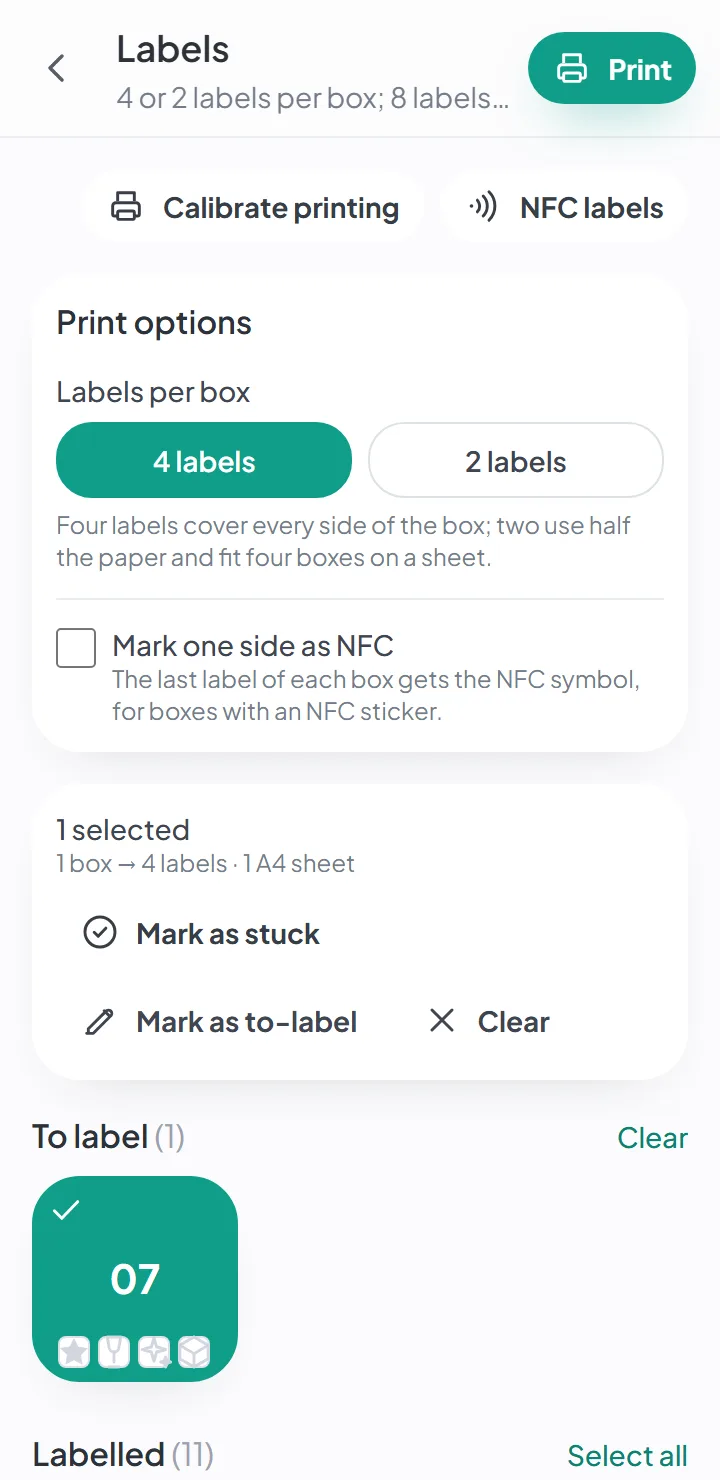
On the labels page, the boxes you haven't labeled yet come first. Pick one, several or all of them.
See the sheet
On a wide screen, the A4 sheet shows up exactly as it will print, before you print it.
Print and stick
Eight labels per sheet, four or two per box. Stick them on different sides — there's always one in view.
Scan it with your phone
Your phone's camera reads the QR code and opens the box in the app, with photos of what's inside.
How to make QR code labels
A QR code label is a label with a square code that a phone camera can read — what some call a smart label. The label itself is just paper; the smart part is the list of what’s in the box, which the code opens. You don’t need any software to make them: the app generates the labels for each box, ready to print. You pick the boxes, see the sheet and print it on an ordinary printer. You can start free, with no credit card; the free plan’s limits are on the pricing page.
Each label has:
- the box number, in big print, so you can read it from across the room;
- the box’s name — “Breakfast”, “Living room books”;
- the box’s QR code;
- the fragile, valuable and heavy marks, always in the same spot — filled in when they apply;
- a band of its own when the box is a priority box.
How to print them: four or two per box
Four labels cover all four sides of a box, so there’s always one in view, however the box sits in the stack. Two use half the paper, and four boxes fit on one sheet.
The A4 sheets take eight labels, and pre-cut sticker sheets work too. To make the print line up with the cuts in the paper, there’s a calibration for each printer — you do it once and it’s saved.
The sheets are A4 (210 × 297 mm, or 8.3 × 11.7 in), not Letter (8.5 × 11 in). A4 is a little narrower and taller, so if your printer has Letter paper, check the print preview first.
What happens when someone scans a box’s QR code
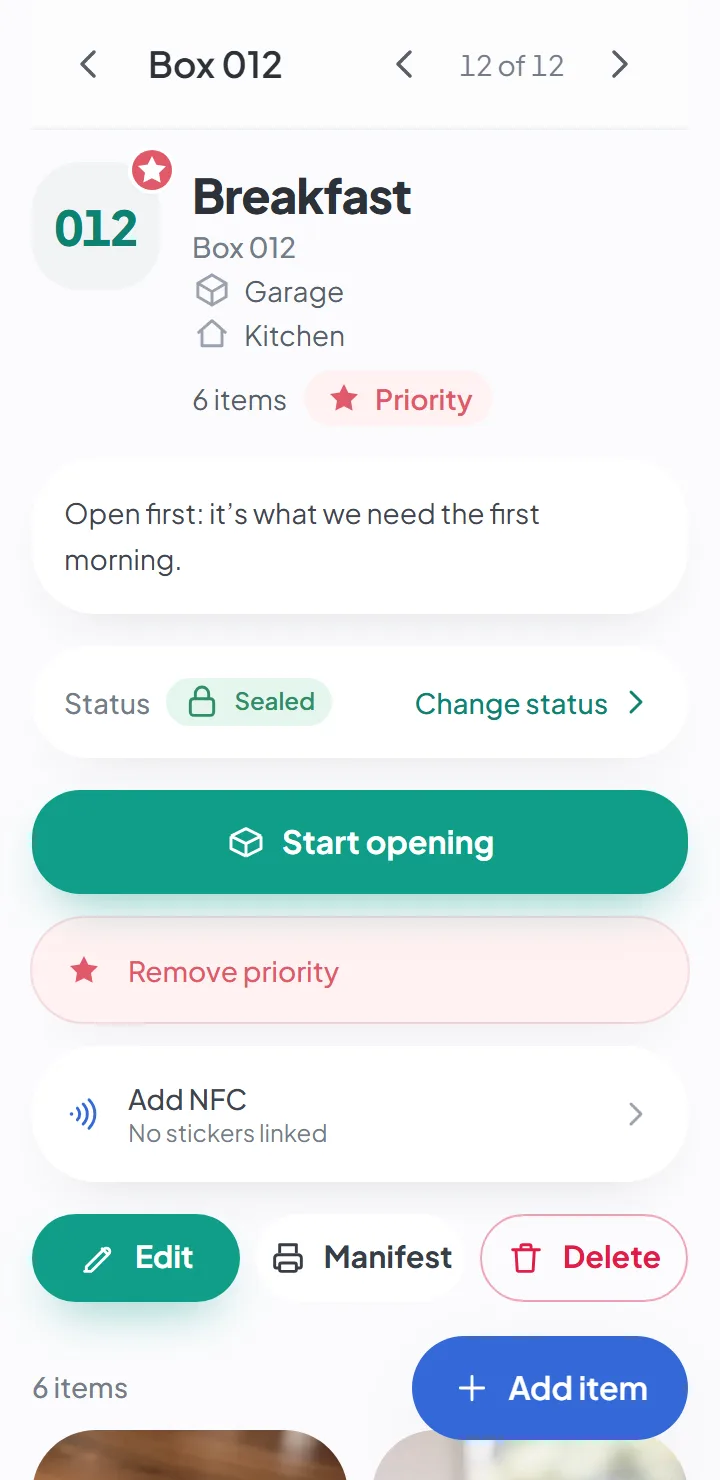
The phone’s camera reads the code and opens the box in the app: the list of what’s inside — a small inventory of the box, with the photos — the room it’s going to and its status.
- If you’re a member of the move, you see everything.
- If you’re not, you see nothing — the app asks you to sign in, or says the box wasn’t found. A label in plain sight on the street, in the moving truck or in a storage unit doesn’t give away what’s in the box.
- Scans are recorded in the box’s history, including those by people without access. On plans that include it, the owner gets an email when one of their boxes is scanned by someone who isn’t signed in to the app — at most one an hour.
QR code labels or handwritten ones?
For a small move, a marker and a number are enough. QR code labels are worth it when there are lots of boxes, when several people pack and unpack, or when some of the boxes will stay closed for months — storage bins in a basement or a garage, boxes in a storage unit. Then scanning the code is quicker than opening the box. That’s how a QR code system keeps storage bins organized: a label on each bin, and you know what’s inside without pulling it off the shelf to open it.
See what to write on each box, with or without a QR code, in the guide on how to label moving boxes.
Good to know
- Someone who isn't a member of the move can scan the code, but sees nothing — if they're not signed in, the app asks them to sign in; with another account, it says the box wasn't found.
Questions about this
Who can see my photos?
Only the people the owner invited to that move. Photos are kept in private storage, and location data is removed on your phone before the photo is uploaded.
If you turn on AI suggestions, the item’s photos are sent to Google to generate the suggestion. It’s optional, and it’s off by default.
Keep reading
Feature
Forgot where you put it? Search.
Search by word and see the box and where it is. Forgives typos and works offline.
Feature
Hold your phone to the box
One NFC sticker per box — hold your phone to it and the list opens.
Guide
How to label moving boxes
What to write on each box, where to put the label, and why the number is what makes the difference.
Start your move with everything in its place
Create an account, photograph your first box and see how quick it is.
Create a free accountStart using it now. It’s free.